Microsoft Entra / Azure Integration
The Ledger Microsoft Entra and Azure integration lets you scan and manage resources and secrets associated with Entra Applications. It discovers long-lived Application Client Secrets, and once that data is ingested, Ledger guides you through eradicating them using Mint.
Setup is a one-time configuration using a Terraform template provided during the Ledger setup process. Each Azure subscription requires its own integration.
What Data is Collected?
- Identities - Entra Applications. (Note: Microsoft represents machine identities as Entra Applications, which are then projected into the Azure cloud as Service Principals.)
- Secrets - Application credentials, such as Client Secrets, Certificates, and Federated Identity Credentials (FICs).
Supported Remediations
- Migrations: Migrate Entra Application Client Secrets in Kubernetes resources to Mint-issued short-lived credentials.
Integration Permissions
The single-subscription Entra/Azure integration requires the following permission in your account(s):
- Application.Read.All
- Directory.Read.All
- AuditLog.Read.All (For future capabilities around secret usage)
Installation
No applications are required to be installed on the target environment. You configure federation and permissions through Entra, and Defakto will use those to scan for resources remotely.
Prerequisites
For single-subscription integration installs, an operator should be able to create the following resources in the target Entra tenant:
- Azure Application
- Azure Service Principal with FIC
- Azure Role Assignment to allow the Service Principal to read Application and credential metadata
Configuration of these resources is automated through Terraform provided during the setup process. You should have a recent version (>1.0) of Terraform or OpenTofu installed. For production environments, you should also consider using a shared or managed Terraform state backend.
Steps
The following steps are also available as spirlctl ledger integration azure in the CLI if programmatic setup is preferred.
- Visit the "Integrations" page in the Defakto Console. Click "Create Integration".
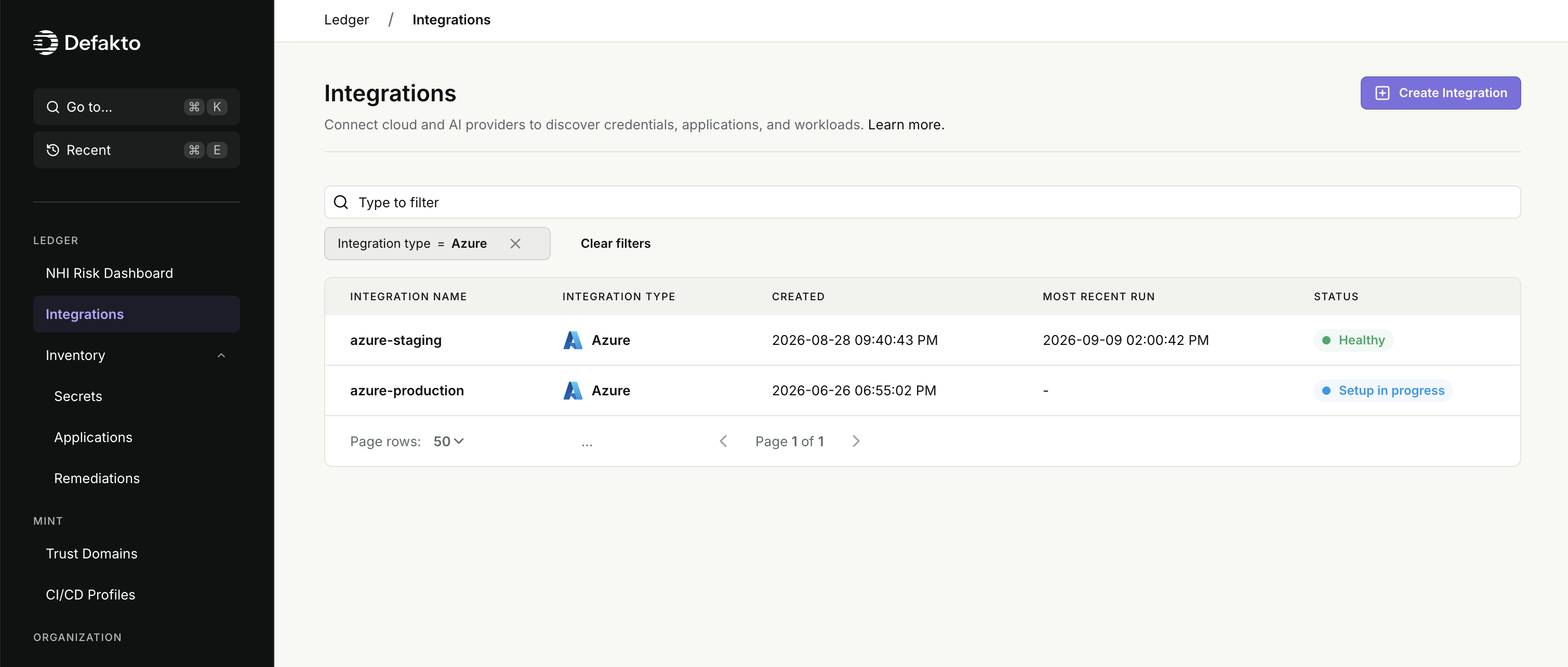
- Select "Azure" from the list of available integrations. Continue configuring the following fields, then click "Next Step" to continue.
- Integration Name: A unique name for this integration. This will be used to identify the integration in the Console and CLI. (required)
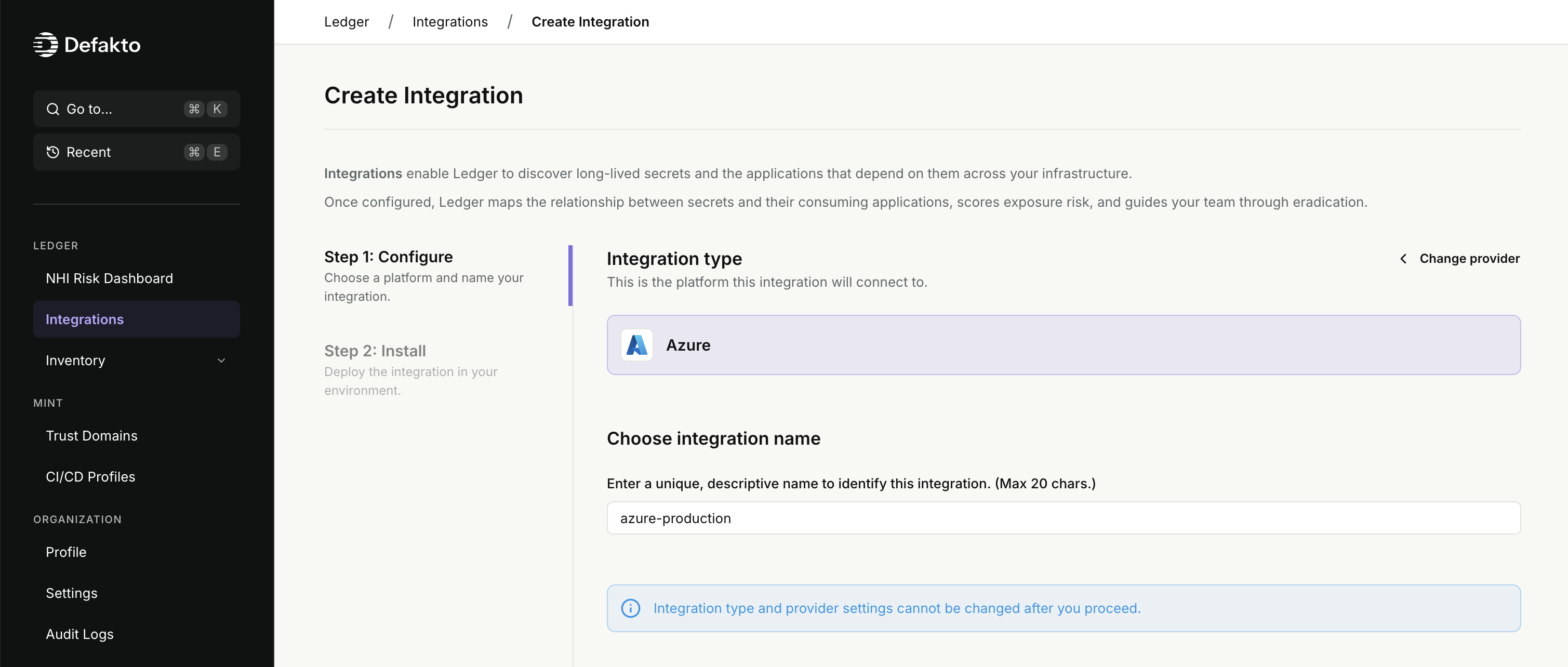
- Integration Name: A unique name for this integration. This will be used to identify the integration in the Console and CLI. (required)
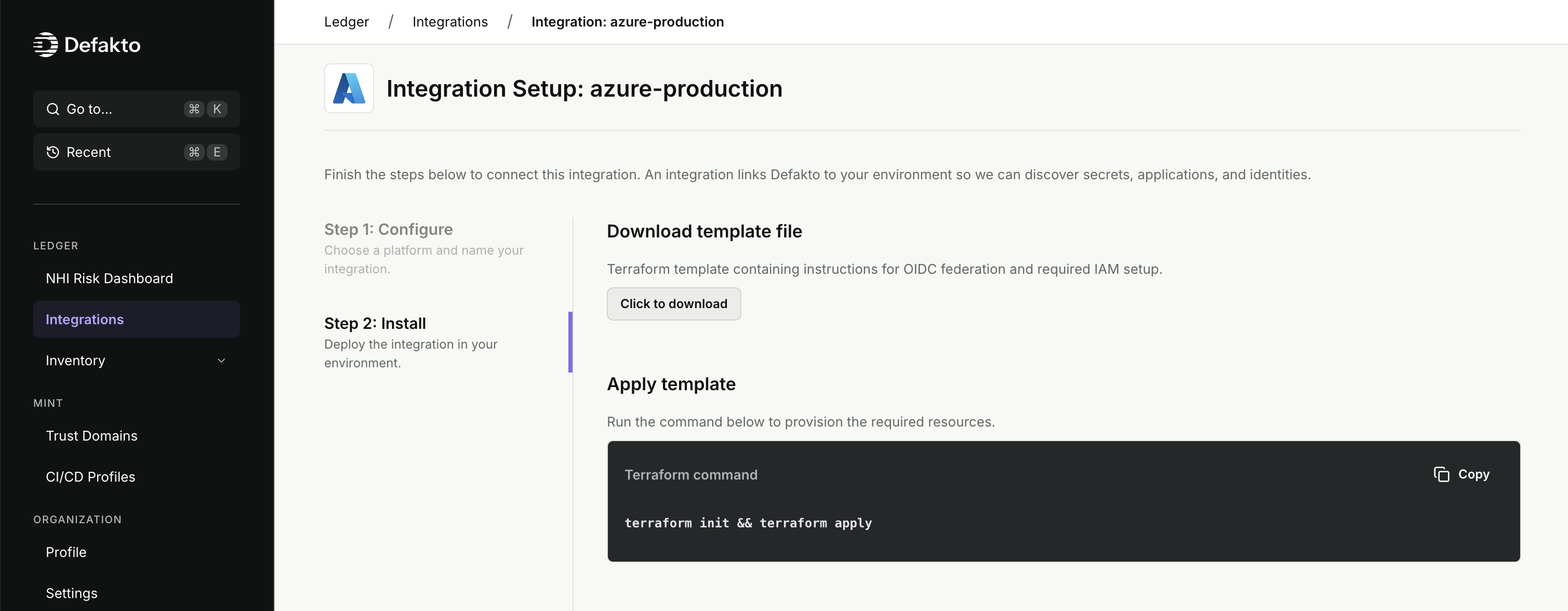
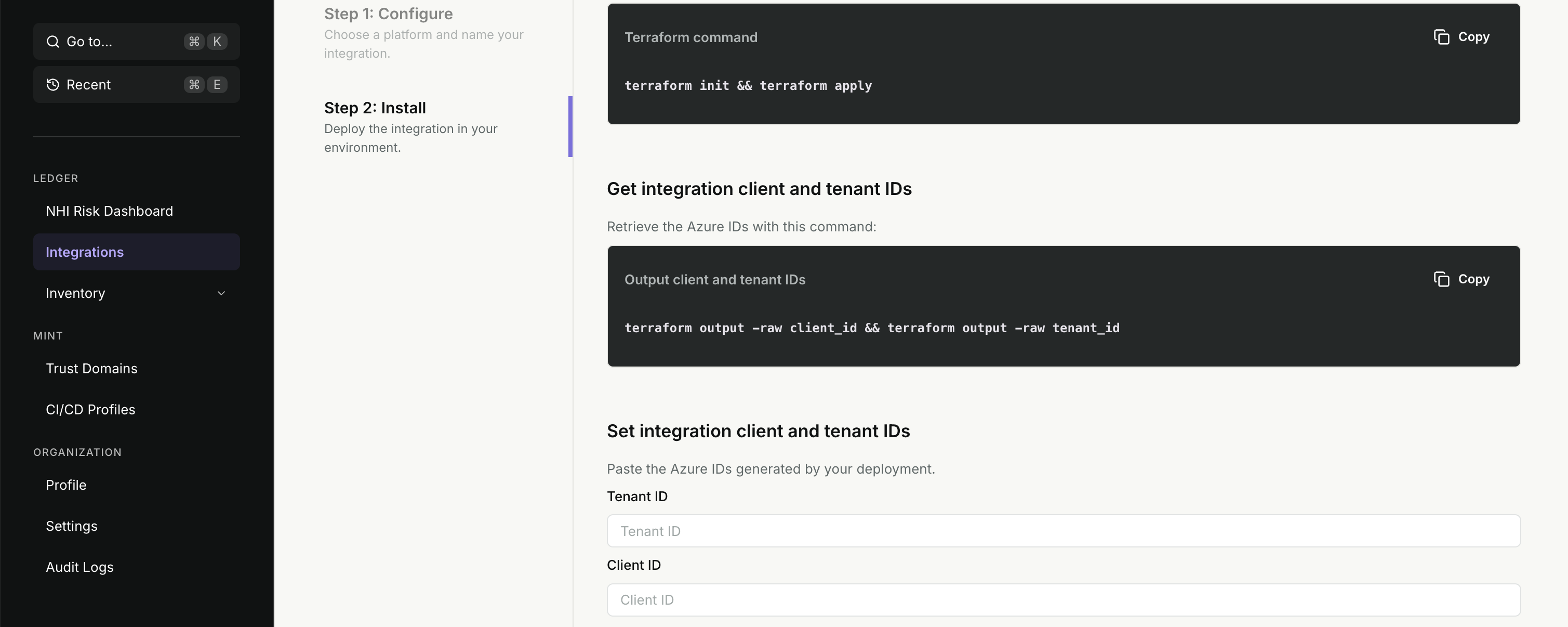
- Follow the on-screen instructions to download the Terraform template for the integration configuration.
Inspect the template and ensure you understand the resources that will be created.
Then execute the commands to apply the template and output the Tenant ID and Client ID of the Entra Application.
A tenant Global Administrator must also grant admin consent for the application, using the
admin_consent_urloutput from the same template, before continuing.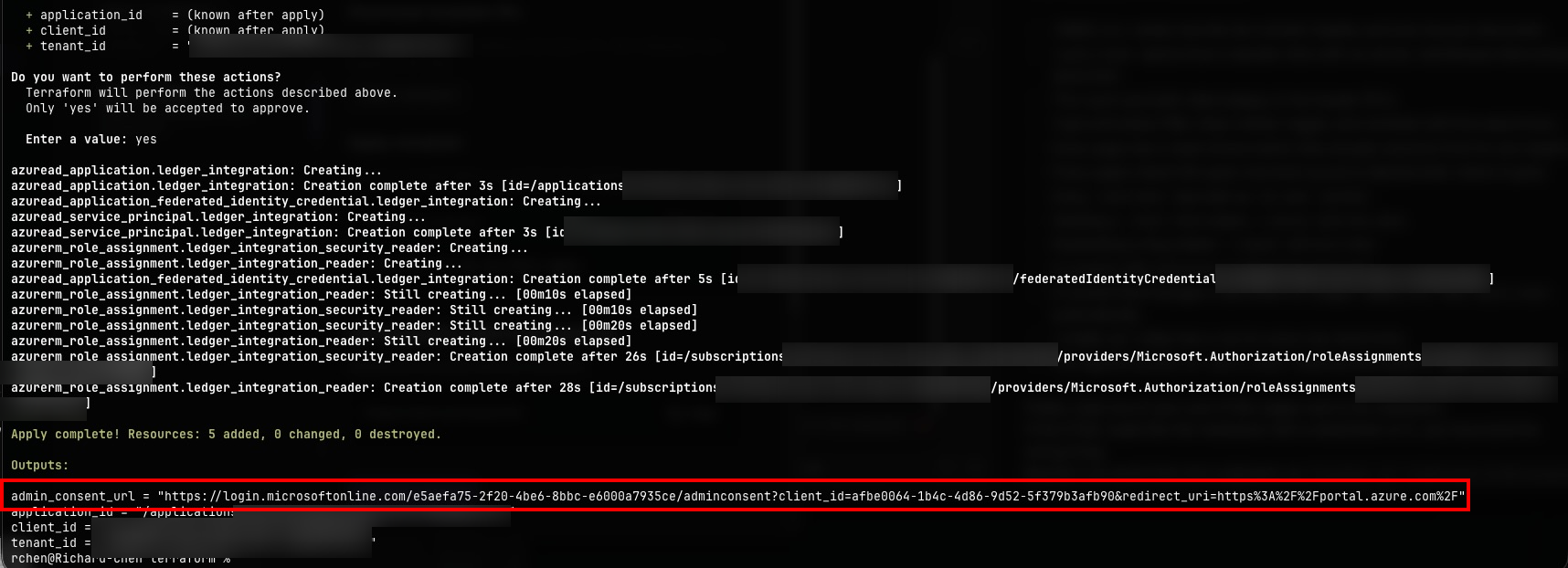 Enter the values in the Console and click "Save and Continue".
This step also verifies the connectivity between Defakto and Entra, so if there are any issues, you will be notified before moving on.
Enter the values in the Console and click "Save and Continue".
This step also verifies the connectivity between Defakto and Entra, so if there are any issues, you will be notified before moving on.
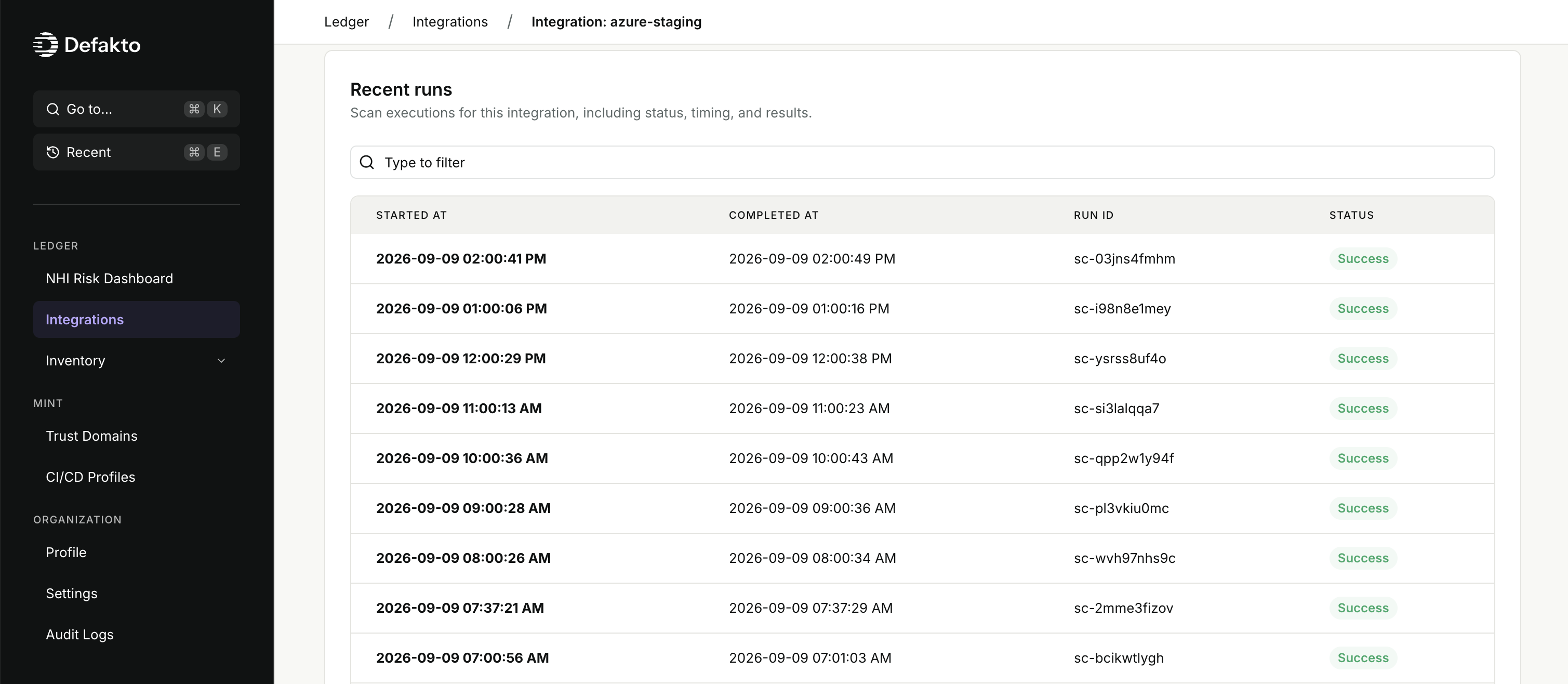
- If the creation was successful, you'll be directed to the integration details page. The integration will automatically start scanning for resources in the connected account(s). Use the "Run now" button to trigger an immediate scan and refresh the inventory from this integration at any time.
Caveats
- This integration does not yet collect any Authorization policy data from Entra/Azure; Therefore, Risk Scores are computed without any assessment of "Access Scope".
- This integration does not yet collect any Entra/Azure audit log data, so it cannot determine when credentials were last used. Audit log data is also limited to the retention period of the Entra/Azure audit logs, which is typically only 30 days.
- This integration does not yet support multiple-subscription integrations; you must configure one integration per Azure Subscription.
- Only Client Secret credentials are supported for migration to Mint at this time.